
Your revenue manager, on top of PriceLabs.
RateAlpha is an analytics and action layer that sits on top of your PriceLabs pricing. It pulls the signals PriceLabs doesn't surface, flags the properties that need attention today, and gives you the tasks a revenue manager would — without hiring one.
Built for operators running PriceLabs who want the value of a dedicated RM but can't justify the headcount.
A mispriced peak weekend never comes back. Most portfolios leak revenue not through one bad decision but through a hundred small ones nobody had time to catch — the compression night priced flat, the decay that ran two weeks too long. The expensive part of revenue management is the attention, not the tool.
Last 30 days on Nomad Hospitality
RateAlpha surfaced $18k in captured surplus — markup we'd have missed otherwise.
Real number from our own portfolio. Your mileage will vary with unit mix and comp set.
How it works
Three steps. Then it's part of your morning.
-
Connect PriceLabs + your PMS
OAuth into PriceLabs, point at your PMS. About 5 minutes, one time.
-
Open the morning briefing
Each morning RateAlpha hands you a ranked list of properties that need attention today — with the context (pace, pickup, events) baked in.
-
Work the task queue
One-click accept writes the override back to PriceLabs. RateAlpha tracks whether the action actually moved pace and RevPAR.
What's inside
Pacing, pickup, and the task queue that ties them together.
Morning Briefing
Open it once a day. Know exactly where to focus.
Every morning, RateAlpha surfaces the handful of properties that need attention today — with the specific context that makes the call obvious, not a dashboard you still have to read.
- "A festival 2 weeks out has pushed market P50 up 35% and your rates haven't responded."
- "P60 listing booking at P45 with MPI 0.6 — revenue leak worth flagging."
- "Pickup on 3 properties fell off the pace curve yesterday."
On top of PriceLabs
Catch what PriceLabs rules miss.
RateAlpha assumes PriceLabs is doing the pricing. Its job is to catch the cases PriceLabs rules weren't written for — stale overrides, pace-vs-rule disagreements, gaps you forgot to tell the rule engine about.
- Imports your PriceLabs rules, overrides, and recommendations on connect
- Flags overrides that haven't been re-evaluated in 30+ days
- Surfaces properties where PriceLabs rate and actual booking pace disagree
Revenue management tasks
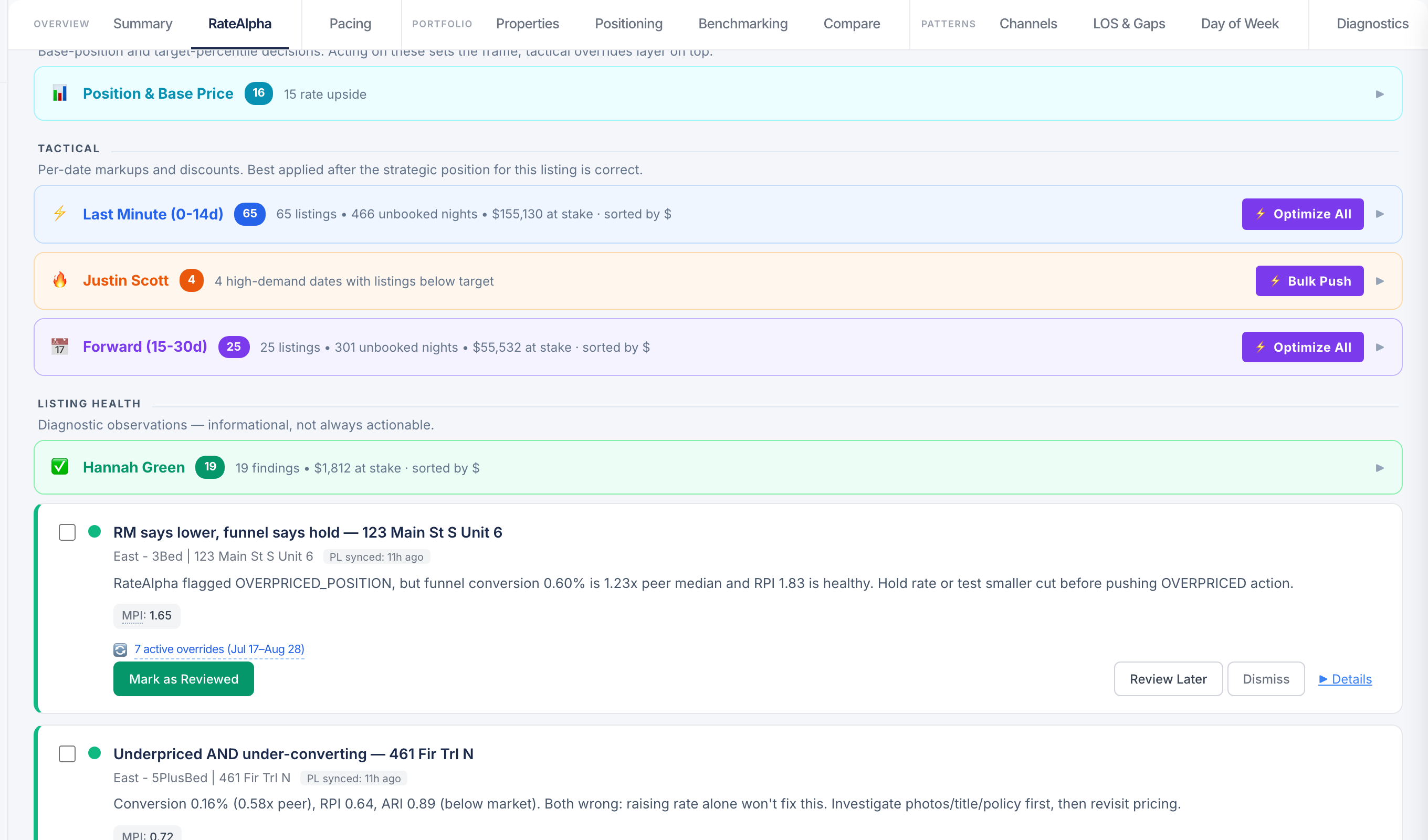
Not another dashboard. A task queue.
Every signal comes with a specific action and writes back to PriceLabs when you accept it. Check a task off and RateAlpha tracks whether it actually moved the number — so you know which recommendations are earning their keep.
- Tiered priority = revenue impact × time-sensitivity
- One-click accept/reject writes overrides back to PriceLabs
- Outcome tracking: did the task actually improve pace/RevPAR?
Base-price recommendations
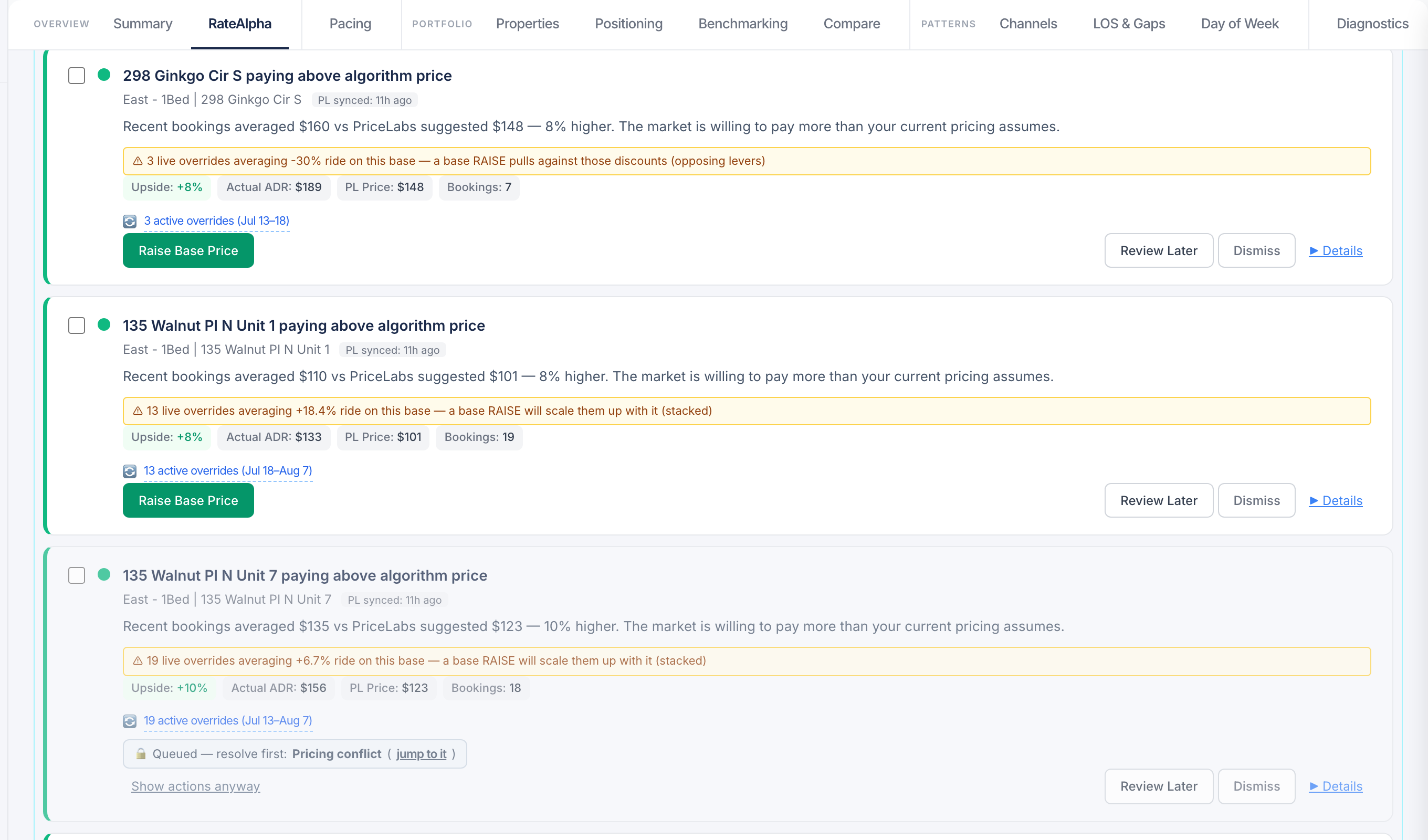
Finds the listings whose base price is simply set wrong.
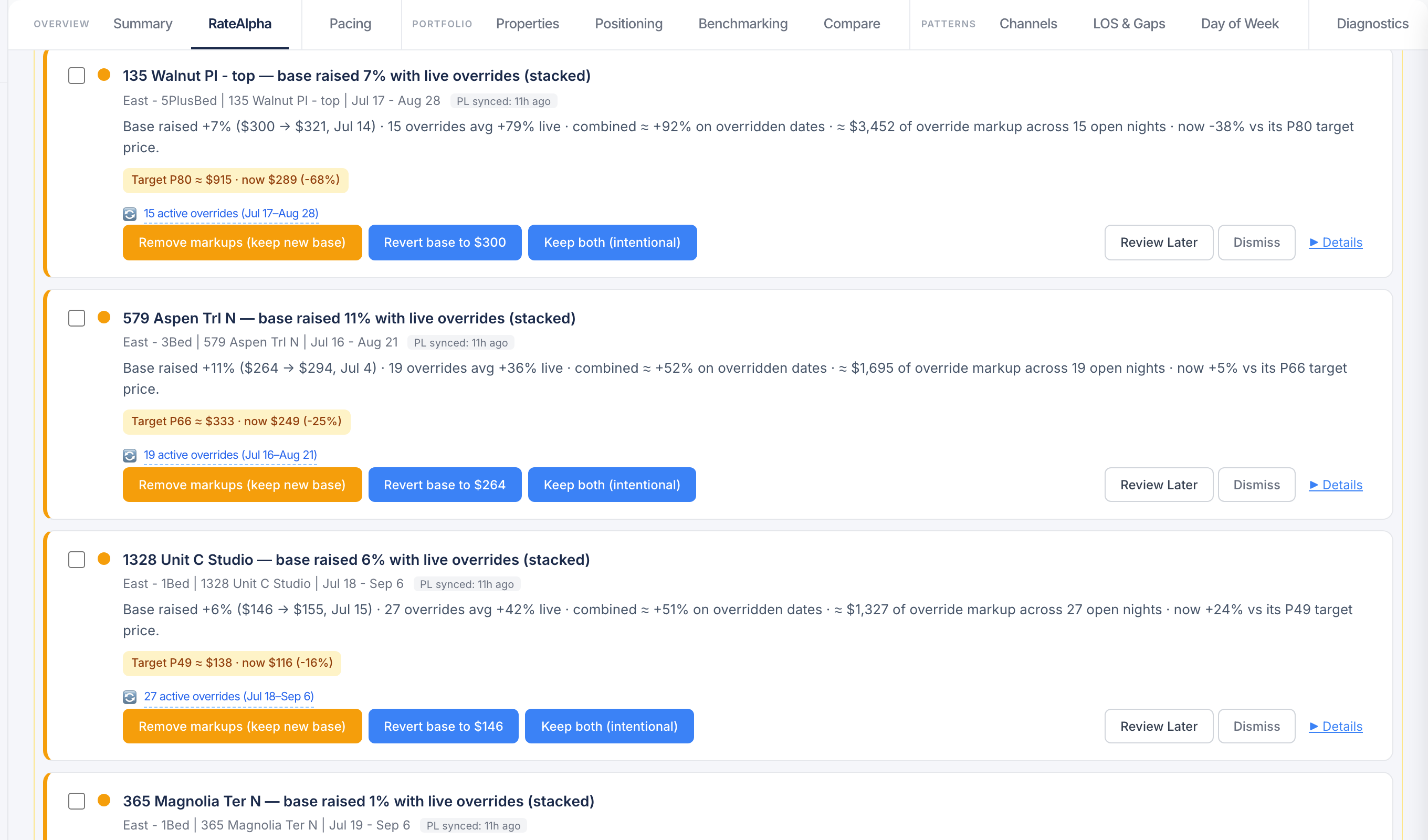
Dynamic pricing can't save a listing whose base price is misconfigured — the whole calendar inherits the mistake. RateAlpha reads forward booking behavior and flags base prices that need a cut or a raise, right in the same task queue as everything else.
- Forward-driven: judged on where the calendar is heading, not last season
- Markup-aware — recommendations account for your channel markup structure, so the fix lands right on every OTA
- Cut and raise calls both — underpricing leaks revenue as surely as overpricing kills pace
Pacing, pickup, and pipeline
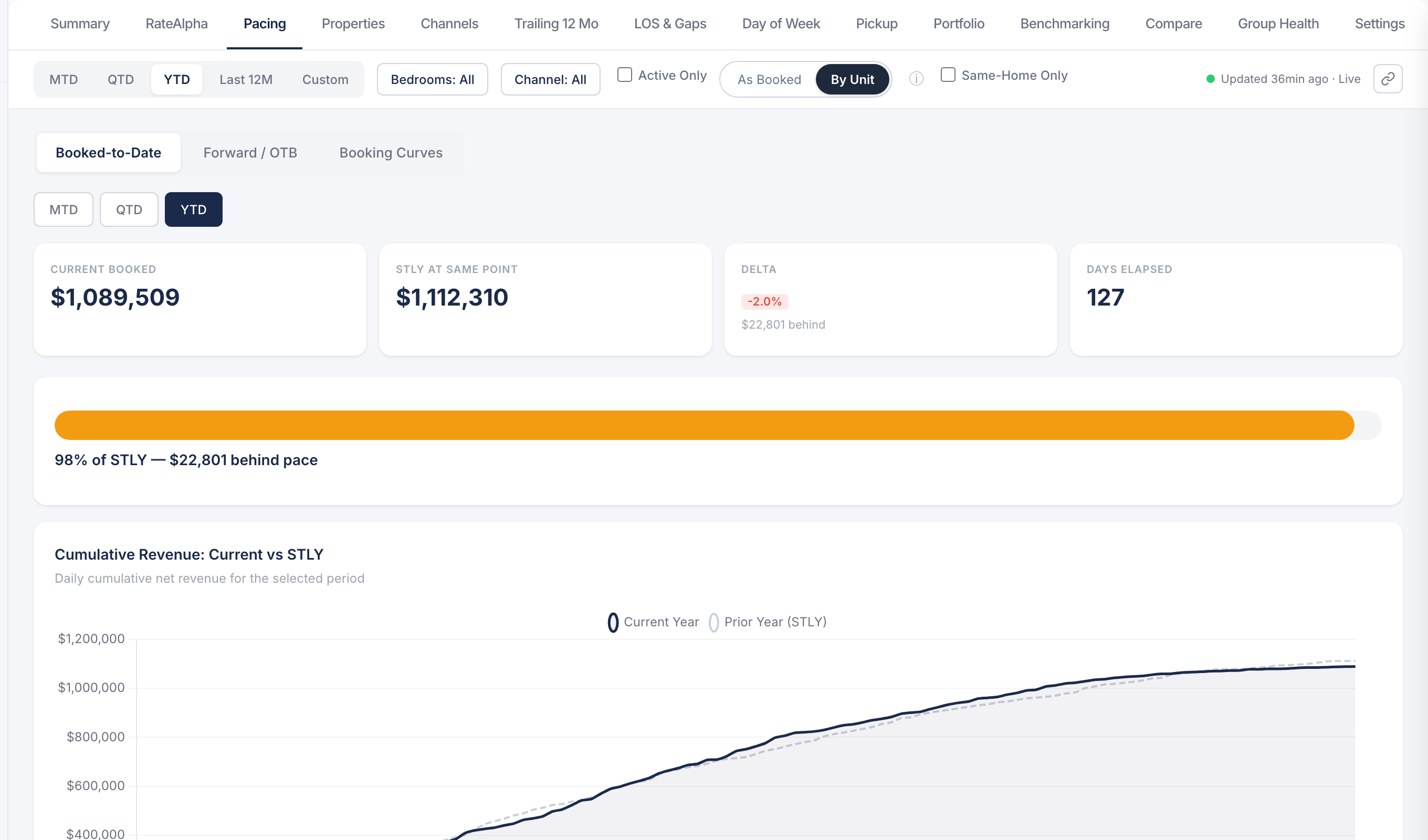
Forward-looking views that let you act early.
Most analytics tells you what happened. RateAlpha tells you what's about to — forward OTB vs. last year, daily pickup against a target curve, and gap-detection callouts on weeks that are tracking soft, in time to do something about them.
- Forward OTB vs. same-time-last-year by property and by portfolio
- Daily pickup curves with target thresholds
- Gap detection flags weeks where pace has gone cold
Integrations
Works with your PriceLabs, your PMS, and the rest of Sherpa.
- PriceLabs
- Uplisting (PMS)
- Airbnb
- VRBO
- Booking.com
- Sherpa Vantage
- SherpaFolio
- Slack (alerts)
Try it on your portfolio.
30-minute demo. We'll connect RateAlpha to your PriceLabs, run the morning briefing on real data, and walk through the tasks it'd have queued for you this week.
Waitlist
Join the waitlist — we onboard operators in small batches, and you'll hear first when a seat opens.